Read: 04 - HTML Links, CSS Layout, JS Functions
Today Topic will be a about
- Links
- Layout
- Functions , Methods
- Objects
HTML Topics
Links
The <a> tag defines a hyperlink, which is used to link from one page to another.
The most important attribute of the <a> element is the href attribute, which indicates the link’s destination.

we have several Type Of Links as showen Below
Creating links between pages
Uesd the <a> to Link The Internal Pages Togather Of The Same WebSite(Pages That are inside the site)we called relative links
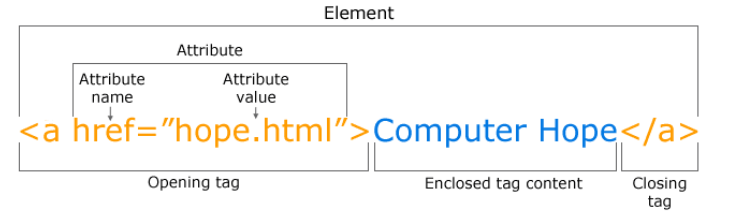
For Example
<!DOCTYPE html>
<html>
<body>
<h2>Relative URLs</h2>
<p><a href="html_images.asp">HTML Images</a></p>
<p><a href="/css/default.asp">CSS Tutorial</a></p>

</body>
</html>
To Run into The Live Example Click Here w3schools
Linking to other sites

Uesd the <a> to Link The Other website Pages and we called absolute links
For Example
<!DOCTYPE html>
<html>
<body>

<h2>Absolute URLs</h2>
<p><a href="https://www.w3.org/">W3C</a></p>
<p><a href="https://www.google.com/">Google</a></p>

</body>
</html>
To Run into The Live Example Click Here w3schools
Email links

Uesd the <a> To Luanch the email program On Client Side and addresses an email to a specified email address By using mailto as the value to href attribute
For Example
<!DOCTYPE html>
<html>
<body>

<a href="mailto:jon@example.org">Email Jon</a>

</body>
</html>
Layout
Controlling the position of elements
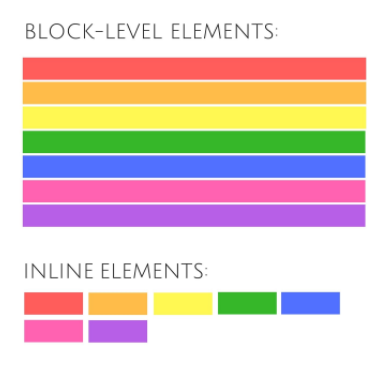
In HTML we have Elements That has it’s Own Flow and we can classifying into Block Elements *and Inline Elements
- Block Tags
Block elements are the elements that always start with a new line, take up all available width of the website and are displayed in a column
<h1><p>-
<ul> -
Inline Tags
<img><b>-
<i> - Controlling the Position of Elements
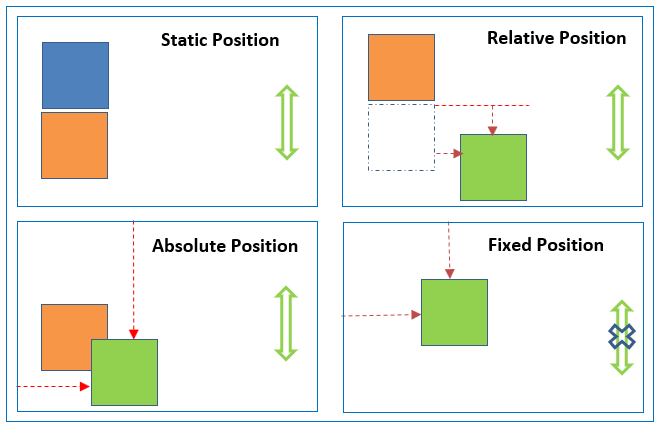
- Normal Flow : static
- Relative Positioning
- Absolute positioning
- Fixed Positioning
Designing for different sized screens Responsive Design
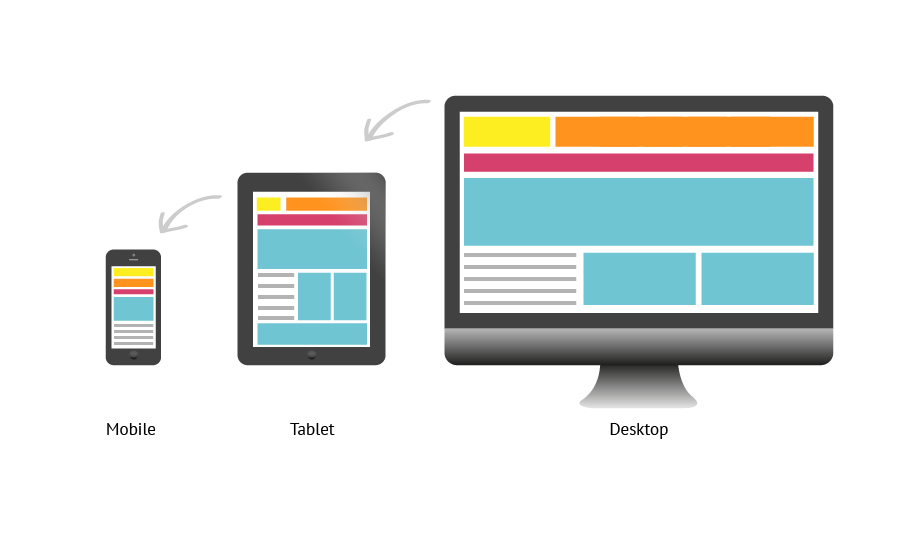
User have diffrenet devies and these deviese have multi screen size , so we need to be fit with the screen size that user has and deal with it with css
Am I Responsive ? Click Here To Check Responsive
Layout Grids
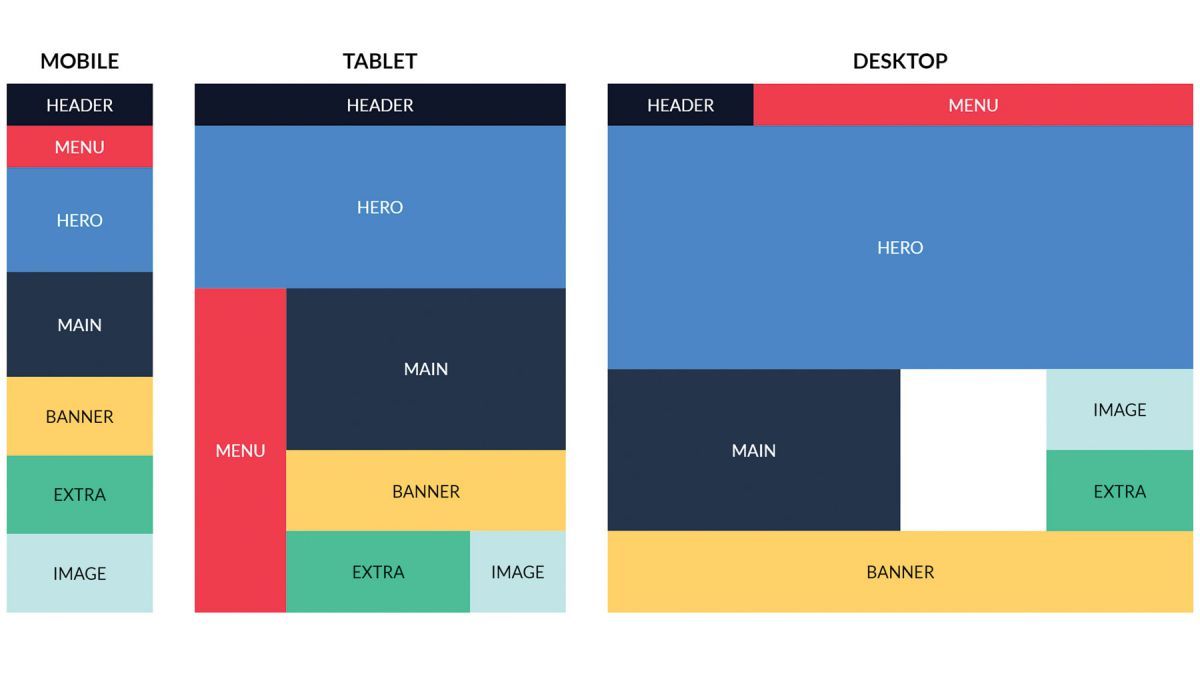
CSS Grid Layout used to Desing layout system with CSS. it can deal with columns and rows and create a layout page. we can work with Grid Layout by applying CSS rules
Need Into Info ? Click Here To Go Css Grid
JavaScript Topics
Funcation
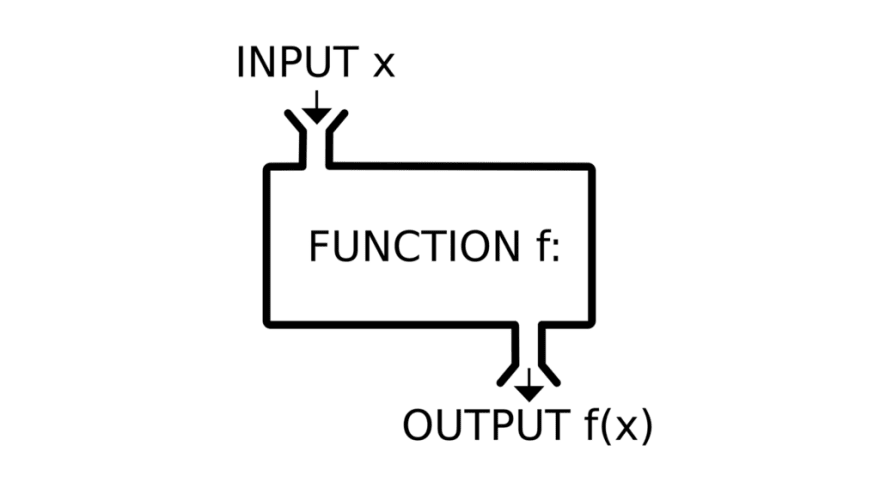
It’s a group of series of statements togather to do a specifics taks
Function Elements
- function Name
- Parameter
- Header
- Code insid Function
Declaring A Function
function name(parameter) {
   [statements]
}
nameThe Name of FunctionparameterThe Variable Passed To The FunctionstatementsThe statements which comprise the body of the function
Lest’s Have a Example
function myFunction(p1, p2) {
  return p1 * p2;
}
document.getElementById("demo").innerHTML = myFunction(4, 3);
Contact Info :
Please Feel Free To Contact Me When You Need help ^_^
- www.facebook.com/aghyadalbalkhi
- Email : aghyadalbalkhi@gmail.com