Read: 11 - Assorted Topics
Today we will took a brief about some Topics
- Images
- Practical Information
Images
- Controlling size of images in CSS
- Aligning images in CSS
- Adding background images
Images
- Controlling size of images in CSS

To Control The Size Of Image We can Use The Width and The Height properties in css
For Example
<!DOCTYPE html>
<html>
<body>

<h1>The img width attribute</h1>

<img src="img_girl.jpg" alt="Girl in a jacket" width="500" height="600">

</body>
</html>
- Aligning images in CSS
These attributes to indicate how the other parts of a page should flow around image
- left
float :left - Right paragraph
float:Right
For Example
<!DOCTYPE html>
<html>
<head>
<style>
img {
  float: right;
}
</style>
</head>
<body>

<p>In this example, the image will float to the right in the paragraph, and the text in the paragraph will wrap around the image.</p>

<p><img src="pineapple.jpg" alt="Pineapple" style="width:170px;height:170px;margin-left:15px;">
Lorem ipsum dolor sit amet, consectetur adipiscing elit. Phasellus imperdiet, nulla et dictum interdum, nisi lorem egestas odio, vitae scelerisque enim ligula venenatis dolor.  velit.</p>

</body>
</html>
To Run into The Live Example Click Here w3schools
- Adding background images
The background-image property allows to place an image behind any HTML element
body {
background-image: url("images/pattern.gif");}
We Can Use some property with background image like background-repeat
body {
background-image: url("images/header.gif");
background-repeat: repeat-x;}
also we have other property called background-position that have many values like left top left center center top
body {
background-image: url("images/tulip.gif");
background-repeat: no-repeat;
background-position: center top;}
Images
- Search engine optimization

SEO Stands for Search Engine Optimization which is a component of Search Engine Marketing, Search Engine Optimization is essentially the practice of increasing the quality and quantity of visitors to a website through the Organic Search Results.
- Using analytics to understand visitors

By analyzing The User behavior using some tools like Google Analytics Google Analytics gives you the free tools you need to analyze data for your business in one place, so you can make smarter decisions.
For More Info : GoogleAnalytics
Video
Before HTML5, a video could only be played in a browser with a plug-in (like flash).
The HTML5 <video> element specifies a standard way to embed a video in a web page.
<video src="SDGs.mp4" width="320" height="240" controls> Text only be displayed in browsers that do not support the video element </video>
Audio
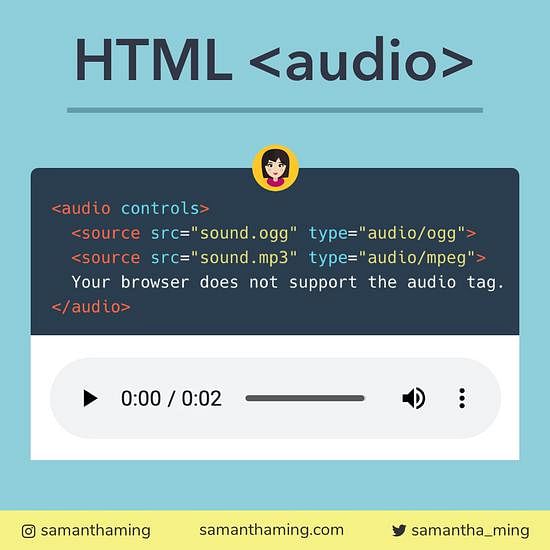
Before HTML5, a Audio could only be played in a browser with a plug-in (like flash).
The HTML5 <Audio> element specifies a standard way to embed a Audio in a web page.
<audio src="Love In Damascus.mp3" or “ link“ controls> Text only be displayed in browsers that do not support the audio element </audio>
Contact Info :
Please Feel Free To Contact Me When You Need help ^_^
- www.facebook.com/aghyadalbalkhi
- Email : aghyadalbalkhi@gmail.com