Readings : Basics of HTML, CSS & JS
as we learned before about HTML and its Structure which made by elements called ` Tags` Now We Will Learn More about Tags That are used With Texts
For Example
- Headings and paragraphs
- Bold, italic, emphasis
- Structural and semantic markup
Let’s Start
Text
We will learn about: Structural markup and Semantic markup
- Structural markup
Normal Elements that Used for descripe Content like
H1orP
- Semantic markup
That Is a special Tags Made For Browsers and Search engine so by using these tags, The Browsers and Search engine can getting the accurate information for users
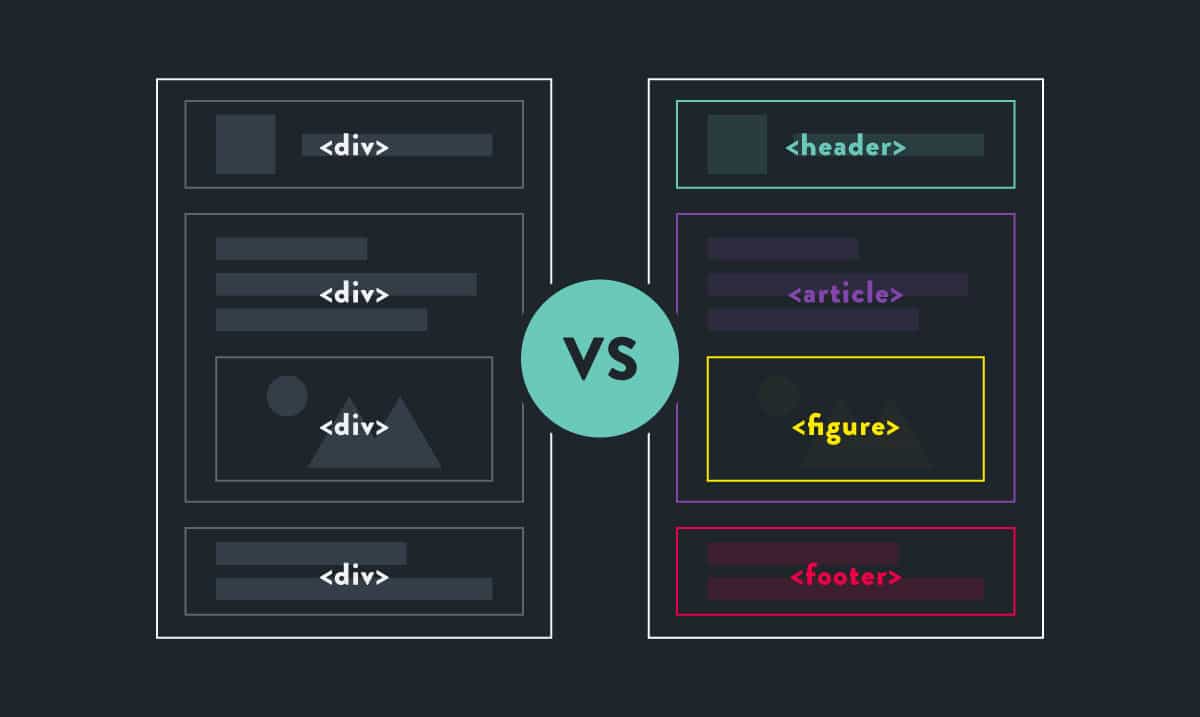
Structural markup
Headings and paragraphs Structural markup
- Heading
<h1><h1> Readings : Basics of HTML, CSS & JS </h1> - Paragraphs
<p><p> We Will Learn More Toghather </p> - Bold
<b><b><p> Text In the Bold is More Imprtant </b> - Subscript
<sup>` <p>2020 Version2`
Semantic markup
Structural and semantic markup Semantic Markup
- strong
<strong> - em
<em> - Quotations
<blockquote>
<blockquote cite="https://www.tutorialrepublic.com/css-tutorial/">
 <p>CSS is the key presentational technology that is used in website design</p>
</blockquote>
- shorter quotes
<q>
<p>As Ms Hanna said, <q>also has a great mobile app
</q></p>
- address
<address>
 <address>
<p><a href="mailto:aghyadalbalkhi@gmail.com">
 aghyadalbalkhi@gmail.com</a></p>
<p>Jordan - AMMAN.</p>
</address>
CSS
Introduction To CSS CSS stands for Cascading Style Sheets and it’s responsible of the page Style And the beautiful designs that we see on the web pages it’s
CSSWork
How CSS Work CSS interacts with HTML elements directly and applies the style to them
For Example
If I have this paragraph
<p>Welcome To 201 Course!</p>
and I wanna To make some Style, like color or font effects
p { color:pink; font-weight:bold; }
Some CSS
- background-color
body { background-color: rgb(200,200,200);} - color
h1 {color: DarkCyan;} - opacity
p { background-color: rgb(0,0,0);opacity: 0.5;}
JavaScript
Basic JavaScript Instructions
STATEMENTS
A script is a series of instructions that a computer can follow one-by-one
COMMENTS
It’s Used To Expline the Code Writted By Developer
var UserName = promot("enter Your Name"); /// It Take the Name Of User
VARIABLE
It’s where value stored In
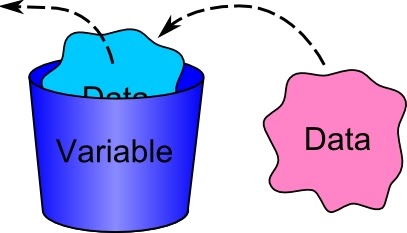
var UserName = promot("enter Your Name"); /// It Take the Name Of User
In a above Example the Variable is UserName which store the name that User Inset in Pormot Window
ARRAY
An array is a data structure where we can store more than one value
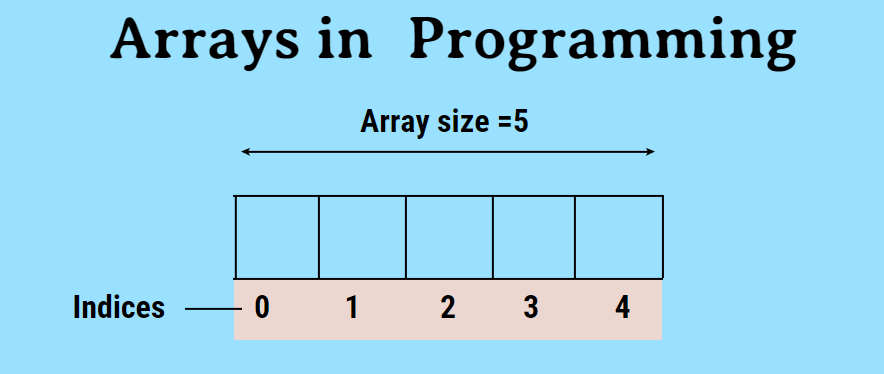
var Car;
Car ['BMW', 'Audi', ' Toyota'];
VALUES IN ARRAYS
Values In Array Access By Index
INDEX    VALUE
0       'BMW '
1       'Audi'
2       'Toyota'
OPERATORS
they allow programmers to create a single value from one or more values
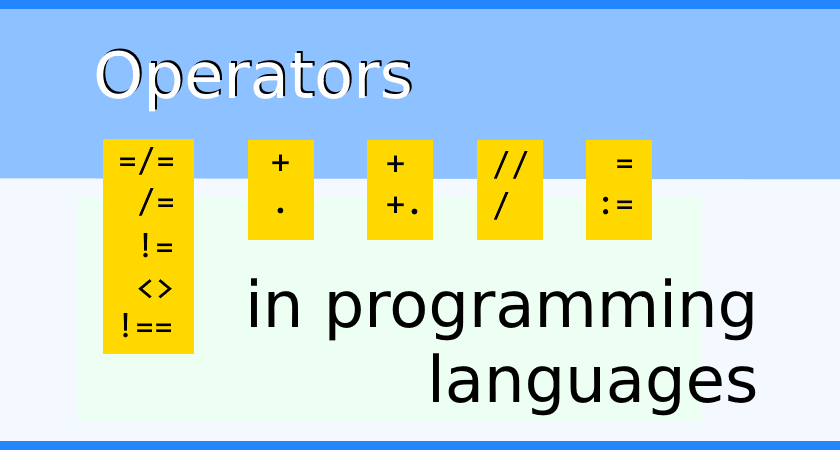
- ASSIGNMENT OPERATORS It assign Value To Variable ` Car = ‘BMW’;`
- COMPARISON OPERATORS It Compare Values ` Max = 10 > 2`
- ARITHMETIC OPERATORS Doing Math Math ` result= 3 * 2;`
- LOGICAL OPERATORS Combine expressions ` result= (3 > 1) && (2 < 14);`
- STRING OPERATORS Concatention expressions ` GoodMorning= ‘Good’+ ‘Morning’; `
Decisions Making and Loops
If Statment
if statement is conditional statement that, if it true, then performs it run the block code. if , not its skip it. In Loops, it always checks the condition statement as an entry or stoping loops
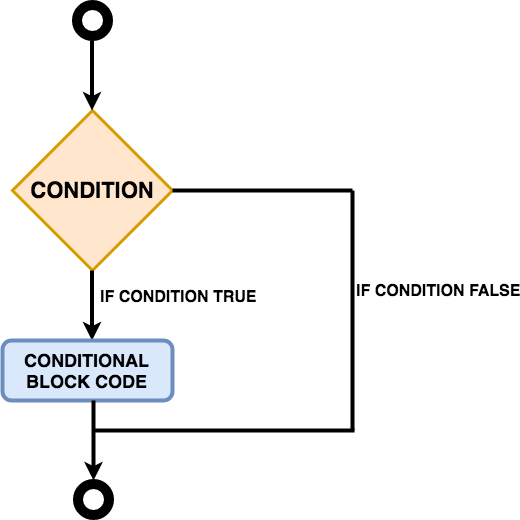
Example
if (hour < 18) {
  greeting = "Good day";
}
Switch Loop
a switch statement is a type of condition control used to allow the value of a variable to change the control of program
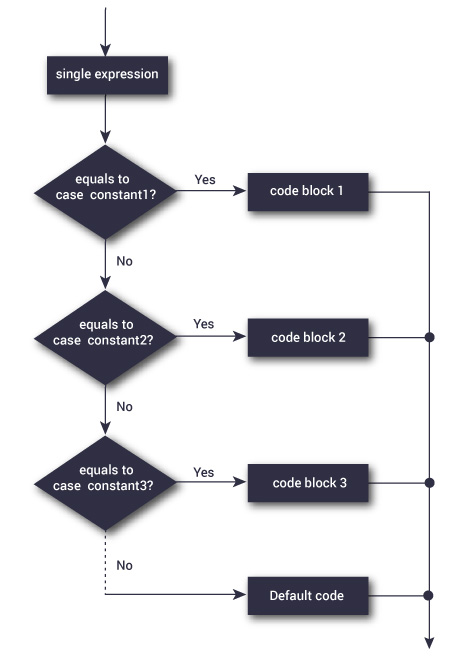
Example
var day;
switch (new Date().getDay()) {
  case 0:
    day = "Sunday";
    break;
  case 1:
    day = "Monday";
    break;
  case 2:
    day = "Tuesday";
    break;
  case 3:
    day = "Wednesday";
    break;
  case 4:
    day = "Thursday";
    break;
  case 5:
    day = "Friday";
    break;
  case  6:
    day = "Saturday";
}
document.getElementById("demo").innerHTML = "Today is " + day;
</script>
Example From : w3schools
Contact Info :
Please Feel Free To Contact Me When You Need help ^_^
- www.facebook.com/aghyadalbalkhi
- Email : aghyadalbalkhi@gmail.com